


Design and Resolution: How to Guarantee a Correct Print
Publicado el 31 January, 2017
How to ensure a correct print
If you want to print your own design on fabric, it is important that it has optimal resolution so that when printing, the effect is as desired and that your design does not look blurry or pixelated. In our blog, we have already given you some tips on how to create the design so that it replicates well and what resolution it should have for correct printing...If you have read our FAQ (if you haven't, you can read it here), you will have already seen that to obtain a good result, we recommend that the file has a resolution of between 150 and 300 dpi. The most recommended is 300 dpi. This restriction guarantees that the image will not be pixelated or blurry after the printing process, although nothing happens if your file has lower resolutions, as long as they are in a high range (preferably from 200-250 dpi). How can you ensure that your file has this quality? We will explain it to you.
1.- The first thing you need to know is the size your pattern will have. You might want it to be 30cm, 10cm, 100cm... Anything is possible, as long as you have a high-quality file. This means that, generally, images borrowed from the internet, screenshots, or photos of a dress pattern you liked are not valid. Digital printing is advanced technology, but it doesn't do magic.
2.- Once we know the size of the file in centimeters, we will decide its resolution. Since for us the optimal resolution is 300dpi (pixels per inch), we will take this value as a reference.
3.- Now you just need to know that 1 inch is 2.54 centimeters. The rest is math:
Multiply the size in centimeters of your file (or of each side of the design if it is a rectangle) by the resolution. And then divide it by 2.54 centimeters. This way, you will see how many pixels you will need to indicate to your working tool:
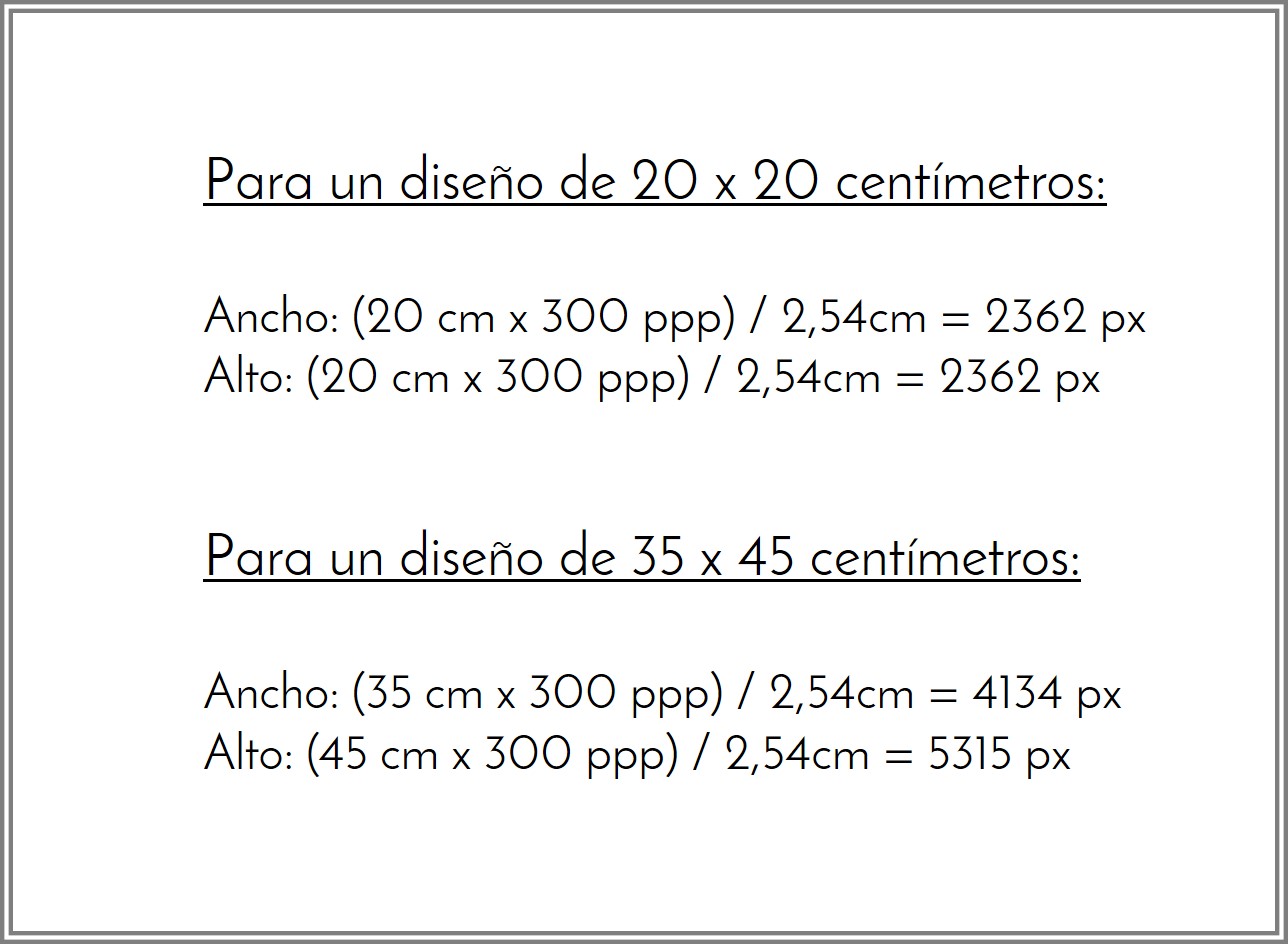
Don't forget to indicate to the program the resolution you want for the design. We show you where to do it in Illustrator and Photoshop:
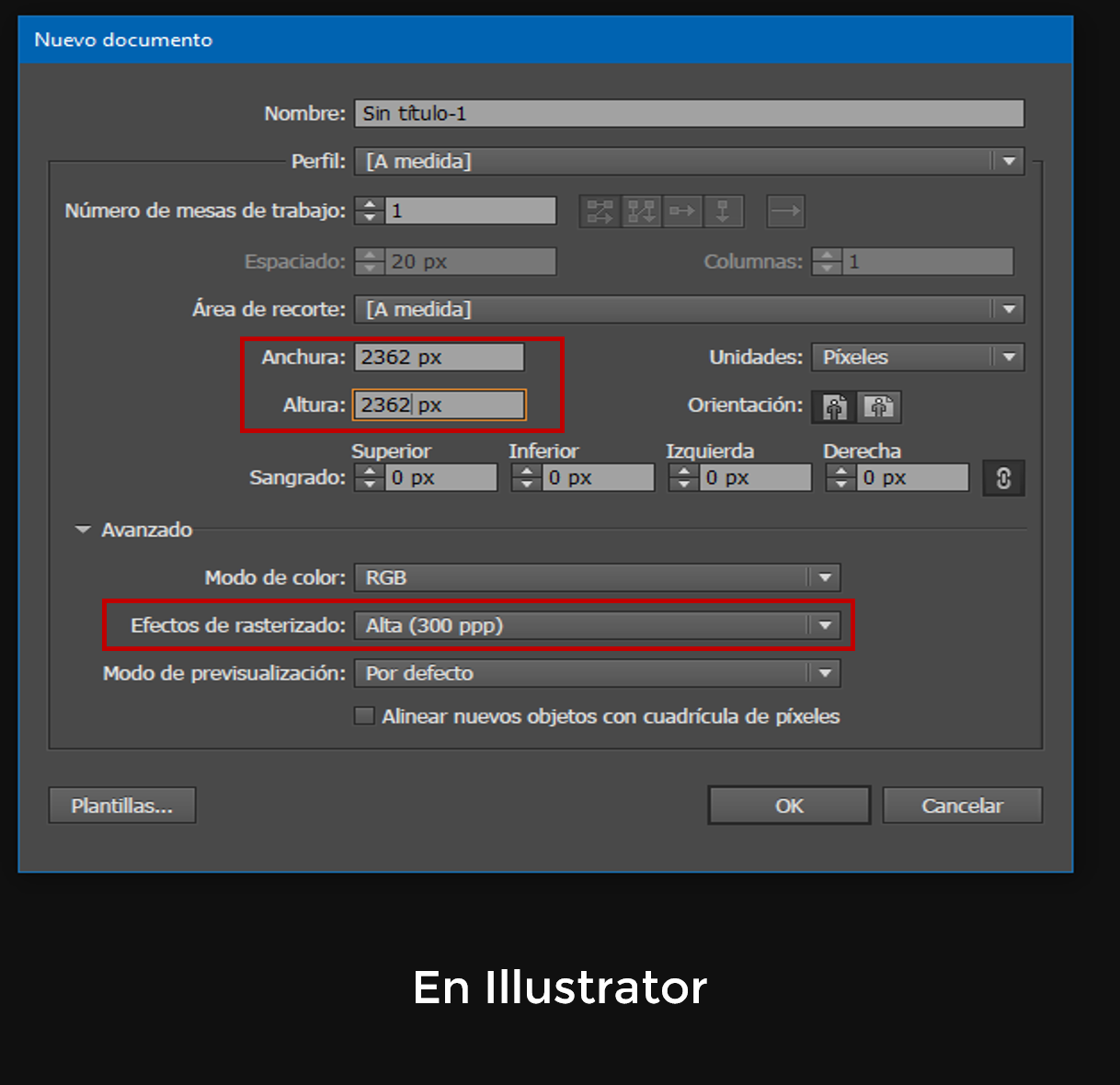
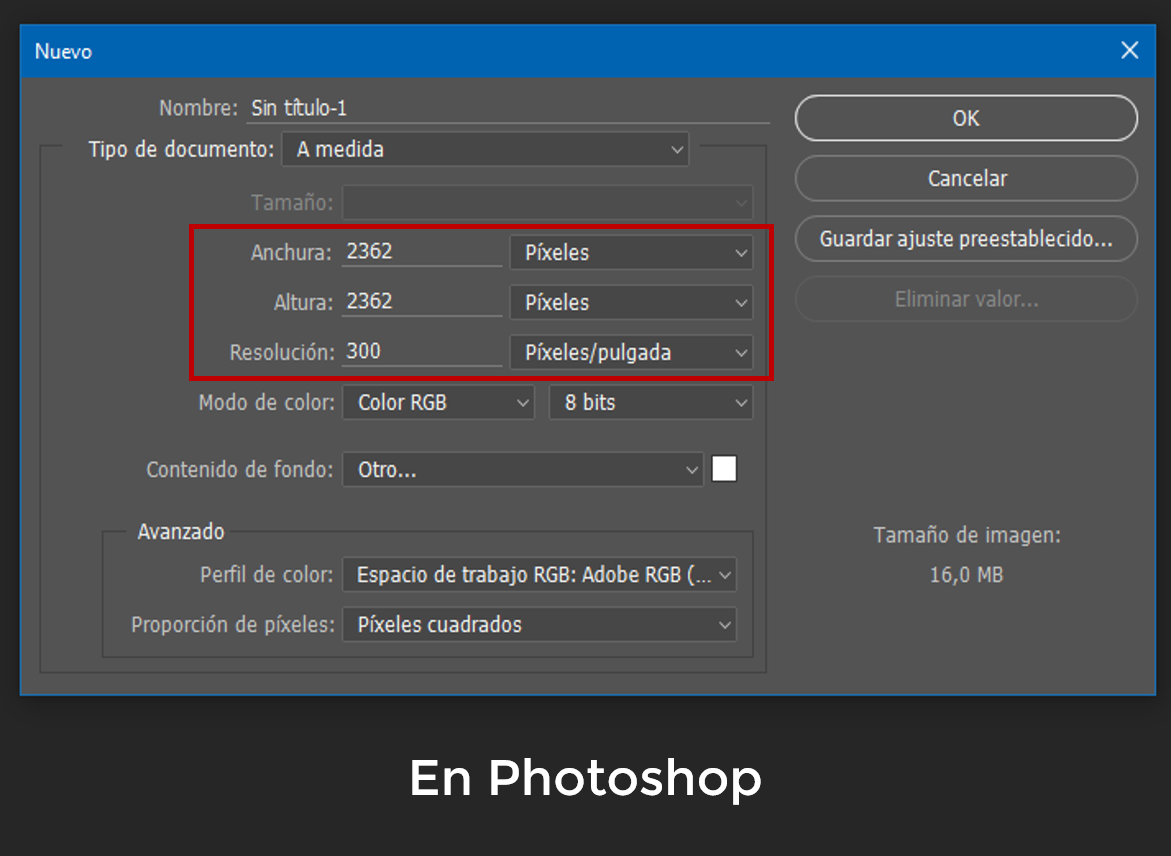
We would like to remind you again that this process will be possible when creating a new design or when scaling down a large design to a smaller one, but the inverse process is impossible. What does this mean? If we have a 5-centimeter file, we will not be able to create a 25-centimeter file from it with 300 dpi resolution, as stretching it will lead to a loss of image quality. For this reason, if you don't have your own design, we recommend acquiring one from our collection - which do meet the aforementioned conditions - or consulting us via email: info@waixo.com; but do not try to print a screenshot or a stolen image, because the result will, almost certainly, be very poor.