Close
Click or press [Enter] to view the results
Trends


Printed Fabrics View articles
Telas en Colores Lisos View articles
Telas para Imprimir View articles
Trends
Printed Fabrics View articles
Telas en Colores Lisos View articles
Telas para Imprimir View articles

By uploading a design to Waixo, you are confirming that you are the owner or hold the legal rights to use it. This means that you have created all the images, text and design yourself and that they do not originate from another source; or, if you are using material belonging to another person or company, you hold the necessary licences or rights to do so.
Our file upload tool allows you to print your pattern from the file you upload to the tool.
You can print a wide variety of designs onto the fabric – not just fashion patterns, but also photographs, illustrations, or anything else you have in mind. You just need to ensure your file meets our format and size requirements.
If you want to print your image across the entire width of the fabric, you will need to create a positional design:
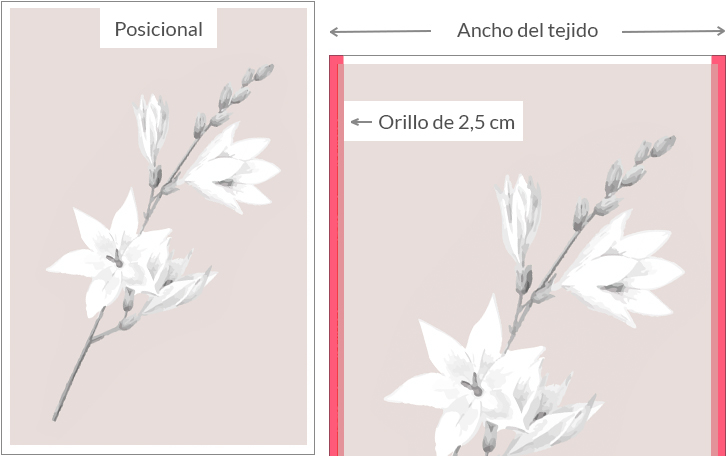
If you want to print your image repeatedly across the entire width and length of the fabric, you will need to create a “rapport” design:
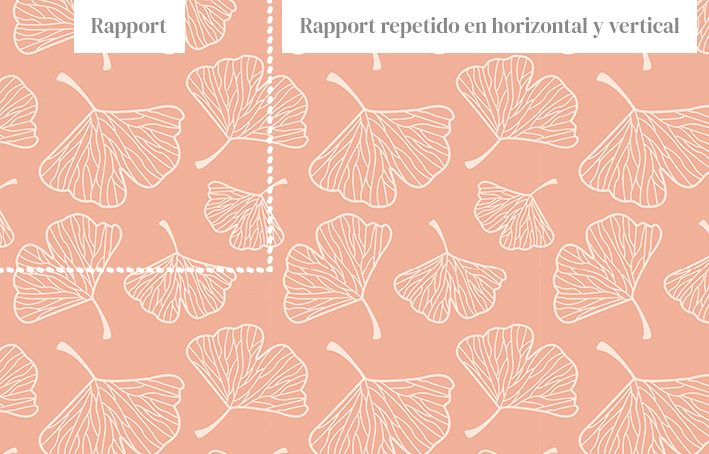
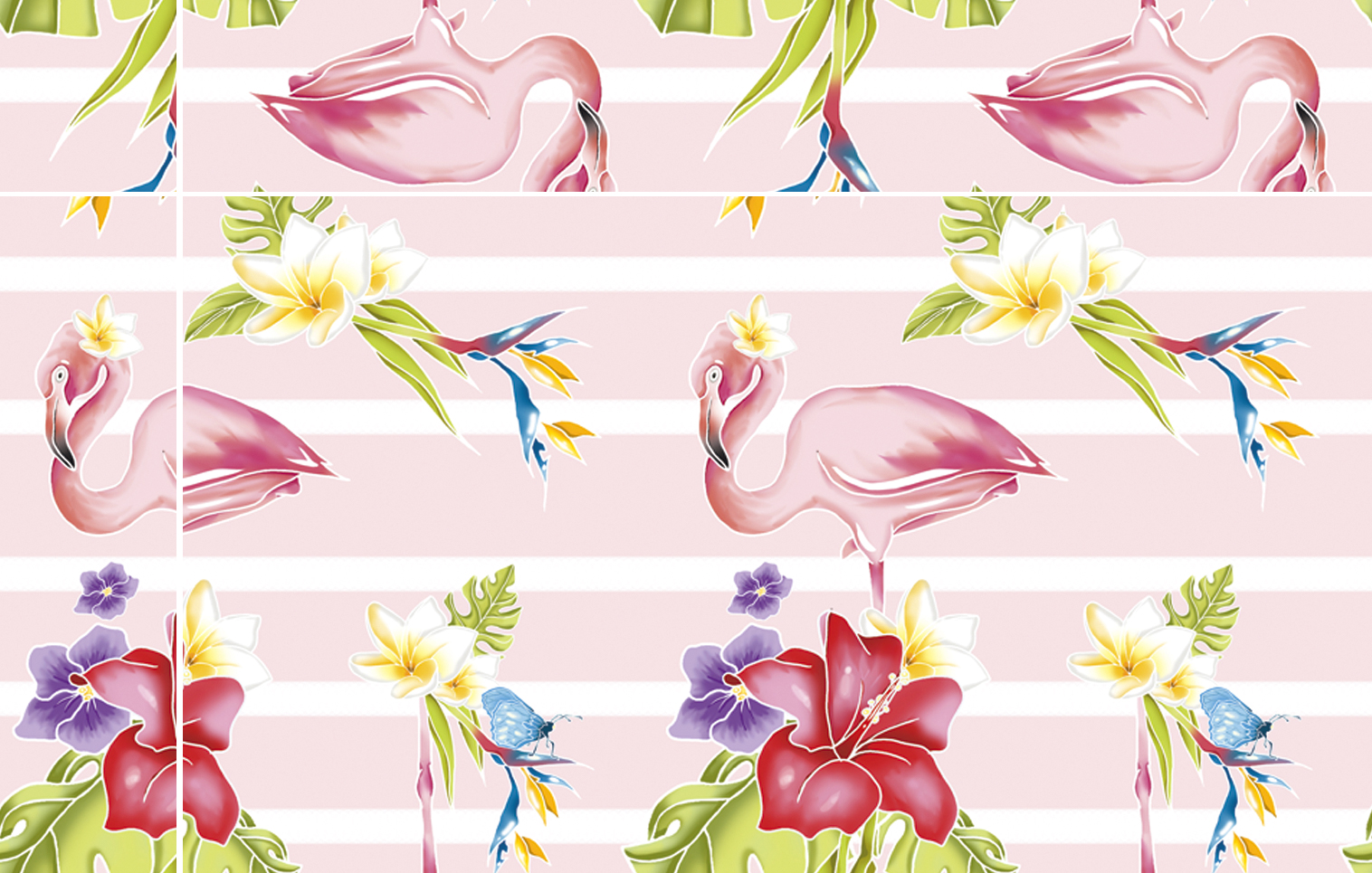
A repeat is an ‘endless’ design containing elements, such as drawings or images, that can be repeated vertically and horizontally to create a continuous pattern, leaving no empty spaces.
To ensure the best print quality, please send us an image file in JPG format with a minimum resolution of 150 dpi.
We do not accept PDF files or Microsoft Word documents. If you need to convert any of your files before uploading them, we recommend that you use your own software to do so.
Printing a digital image is the process of turning something digital into something physical. Instead of physical dimensions, digital images are made up of pixels.
When we talk about the size of a digital image, we are referring to pixels per inch, or ppi. Ppi is the number of pixels in one linear inch and is also known as image resolution.
Textile fibres have certain characteristics and textures that limit the level of detail that can be achieved when printing. For most designs, you can print at 150 dpi and not notice any visual difference compared to files with a resolution of 300 dpi.
The lowest resolution we work with at Waixo is 150 dpi.
The maximum size of attachments you can upload via our website is 120 MB.
In the case of ‘rapport’ designs, you don’t need to send us a file that’s already formatted to fit the width of the fabric; we just need you to upload the design, including the smallest repeating element of the pattern, and we’ll prepare the file for printing across the entire width of the fabric you’ve selected.
If you have a larger file, you can share it with us using a free file-hosting service, such as wetransfer.com. Please let us know by email or by leaving a comment on your order, and provide a link to download the file.
To design a “rapport”, you can use any graphics software, such as Adobe Photoshop, Adobe Illustrator, Clip Studio Paint, Procreate, etc.
You can start with a drawing or sketch, or create it from scratch in graphics software. Begin by drawing or designing all the elements of your pattern so that they are visible on the canvas and do not extend beyond any of its edges.
Select one of the side edges and decide which elements should extend beyond it. These will be the boundary elements. Copy the element that extends beyond the edge of the canvas, reposition it on the horizontal axis, and adjust the width of the canvas. Repeat this for all elements on the side edge of the design.
This will create an infinite repeating pattern, allowing you to duplicate and arrange this small section of the design so that it blends in perfectly.
Do the same with the elements on the vertical axis. Copy and move the elements that extend beyond the top (or bottom) edge of your canvas to cover the entire height of the canvas.
Repetition errors are one of the most common reasons why an order does not proceed as normal; it is very important that you check your designs before uploading them.
Repetition defects: Design defects can appear as gaps or empty spaces in your designs. They can also appear as inaccurate repetitions, or they may leave “white lines” if you have used transparent layers in the creation process and have not taken this into account when generating the print file.
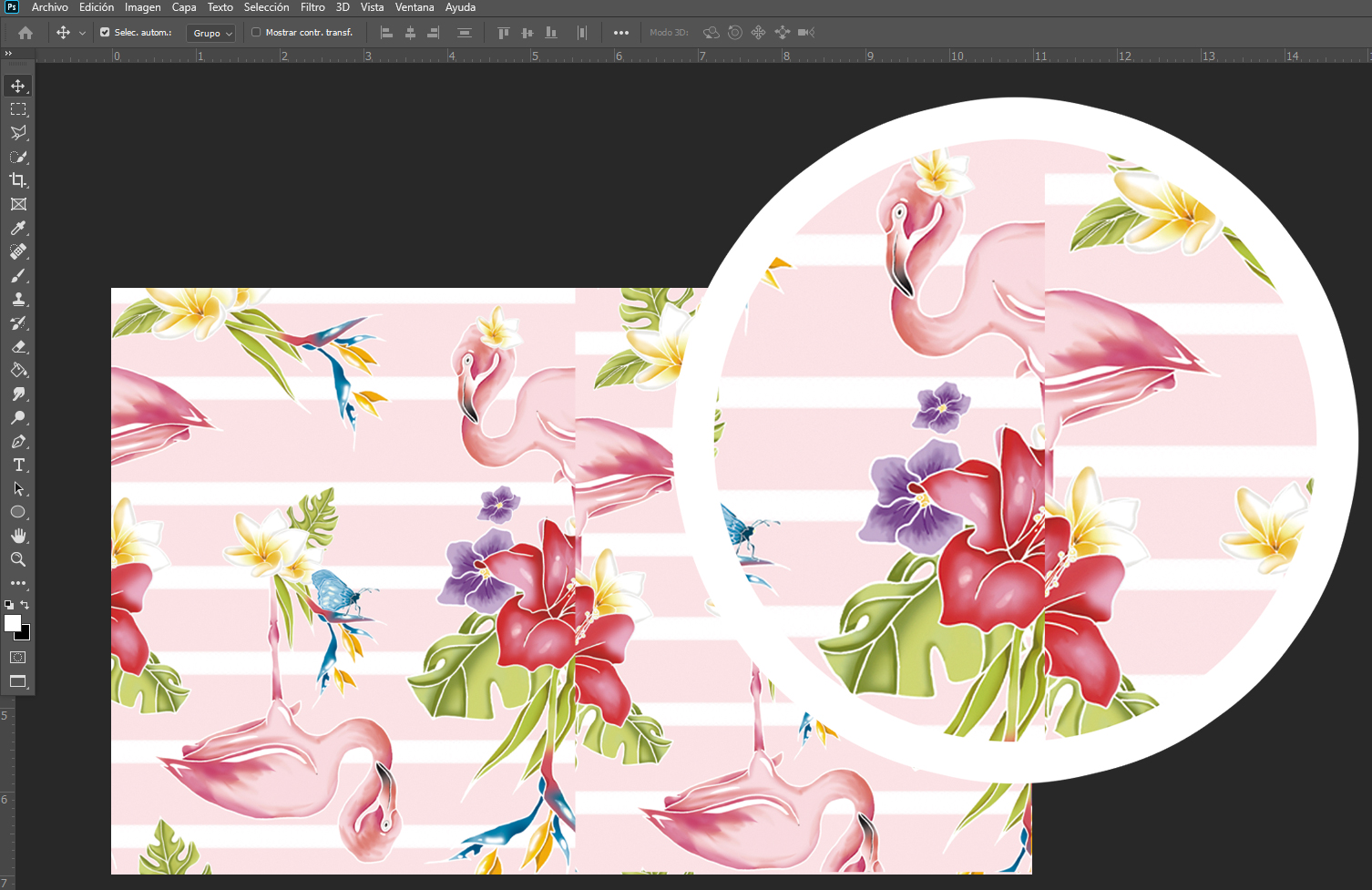
Ejemplo de repetición inexacta
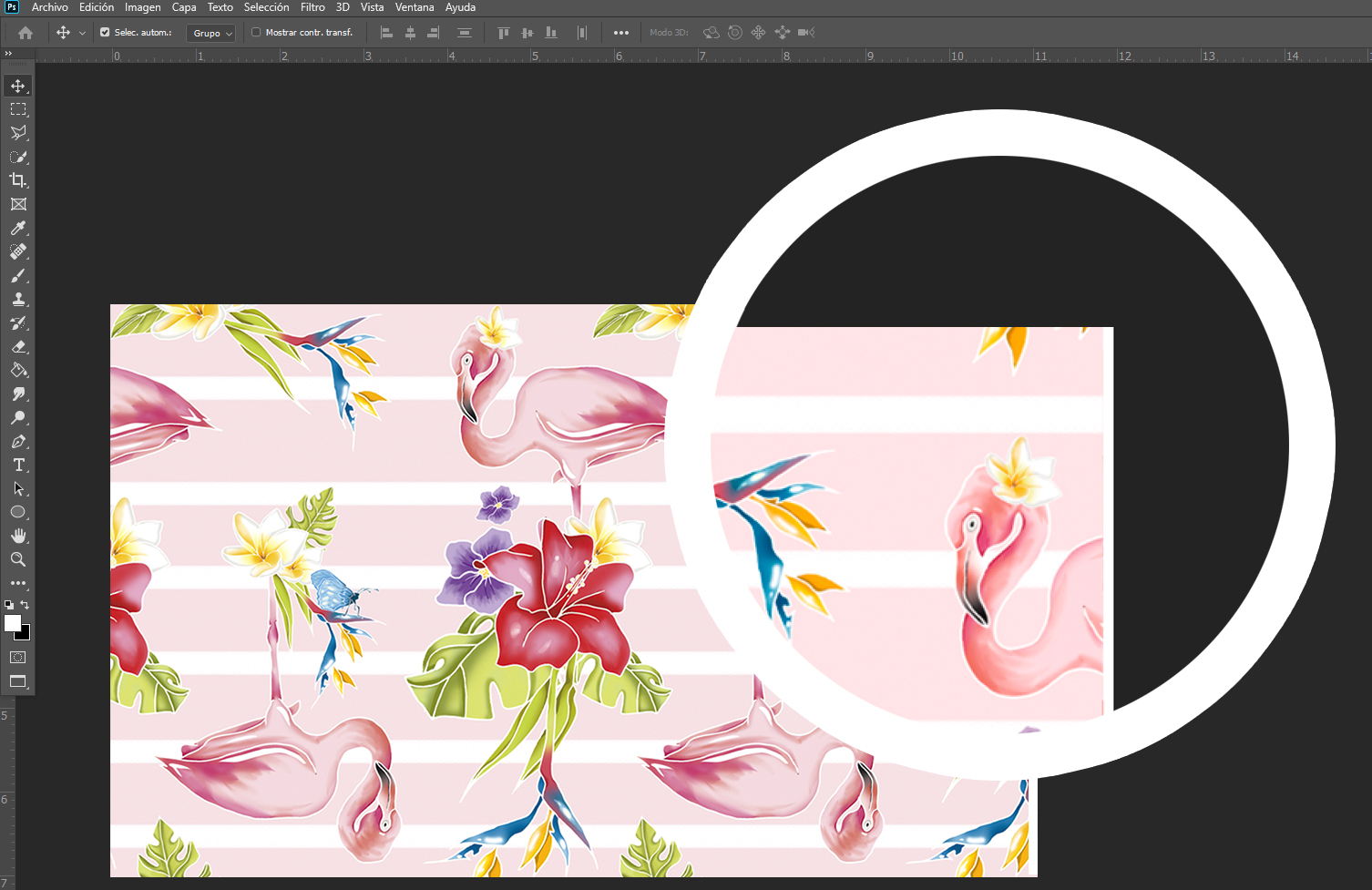
Example of borders with white lines
Flaws can sometimes be hard to spot, but they will show up on the fabric and are design issues we see every day at Waixo. If you’re unsure about your design, please get in touch with us.
If colour is important for your print, it’s always a good idea to order a 1-metre test sample before placing an order for several metres.
The design as it appears on screen usually gives a good idea of what it will look like, but the only way to judge accurately whether the colours will look as you expect is to hold the printed fabric in your hands. We recommend testing it first on a 1-metre sample of fabric, and this is essential if getting the colours just right is crucial to your project.
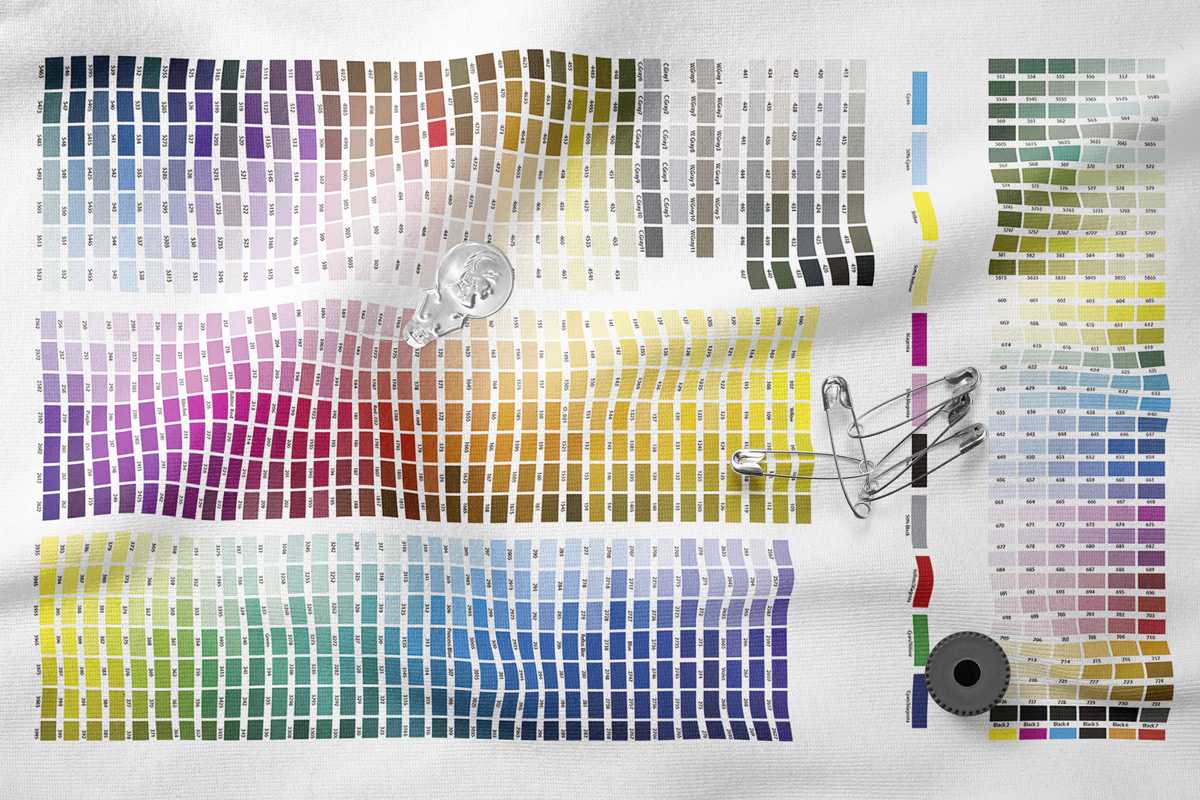
The colours you see on your computer screen may differ from the actual colours on the printed fabric. This is due to the calibration of computer screens, as well as printing technology.
Printing on fabric is much more complicated than standard printing on paper. Colours on fabric tend to be slightly lighter than the same designs printed on ordinary paper.
Only specialised monitors, and only under specific lighting conditions, can reproduce printed colours accurately.
A standard computer screen displays colours well and, in most cases, serves as a sufficient visual reference, but they are unlikely to be accurate due to calibration issues and so on.
You should also bear in mind that many of the bright colours we see on screens cannot be reproduced in reality by any printer.
Would you like to reorder?
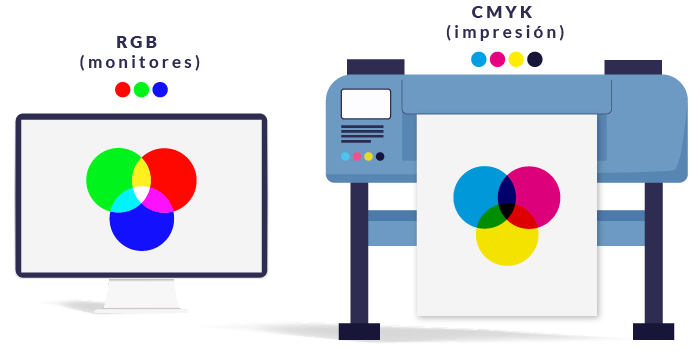
Keep the colour space and profile you originally used. If you first upload a photo as RGB and then later re-upload it with a CMYK profile, the printer will detect a discrepancy when converting the colours, which will result in a difference in the shades printed on the final product.
En Waixo, guardamos todos los detalles técnicos de tus pedidos. Si quieres imprimir más metros de un pedido anterior, sin alterar el diseño, ponte en contacto con nosotros.
Every file we receive for printing is checked by us.
We check the resolution of the files and, in the case of continuous patterns, we check that the repeats line up correctly. If there are any issues, we will contact you by email.
Waixo will never alter or edit any of your designs and will print all orders using the uploaded design file.
The design preview window provides a good representation, but we suggest you check for any errors before uploading it to our site.
You can upload your own print file to our website using the file upload tool at “Upload your design”.
Print files larger than 120 MB can be sent via any free file-hosting service such as wetransfer.com and by email to info@waixo.com
Details of previous orders and uploaded files are stored in your customer account.
If you would like to reprint the same design, please contact us to arrange this.