



What should I keep in mind when creating my print?
Publicado el 29 September, 2021
Many factors can spoil a good print. Our ideas may not materialize if we do not take certain elements into account. Even the type of design you want to make follows its own rules. Let's get to know them!
Positional
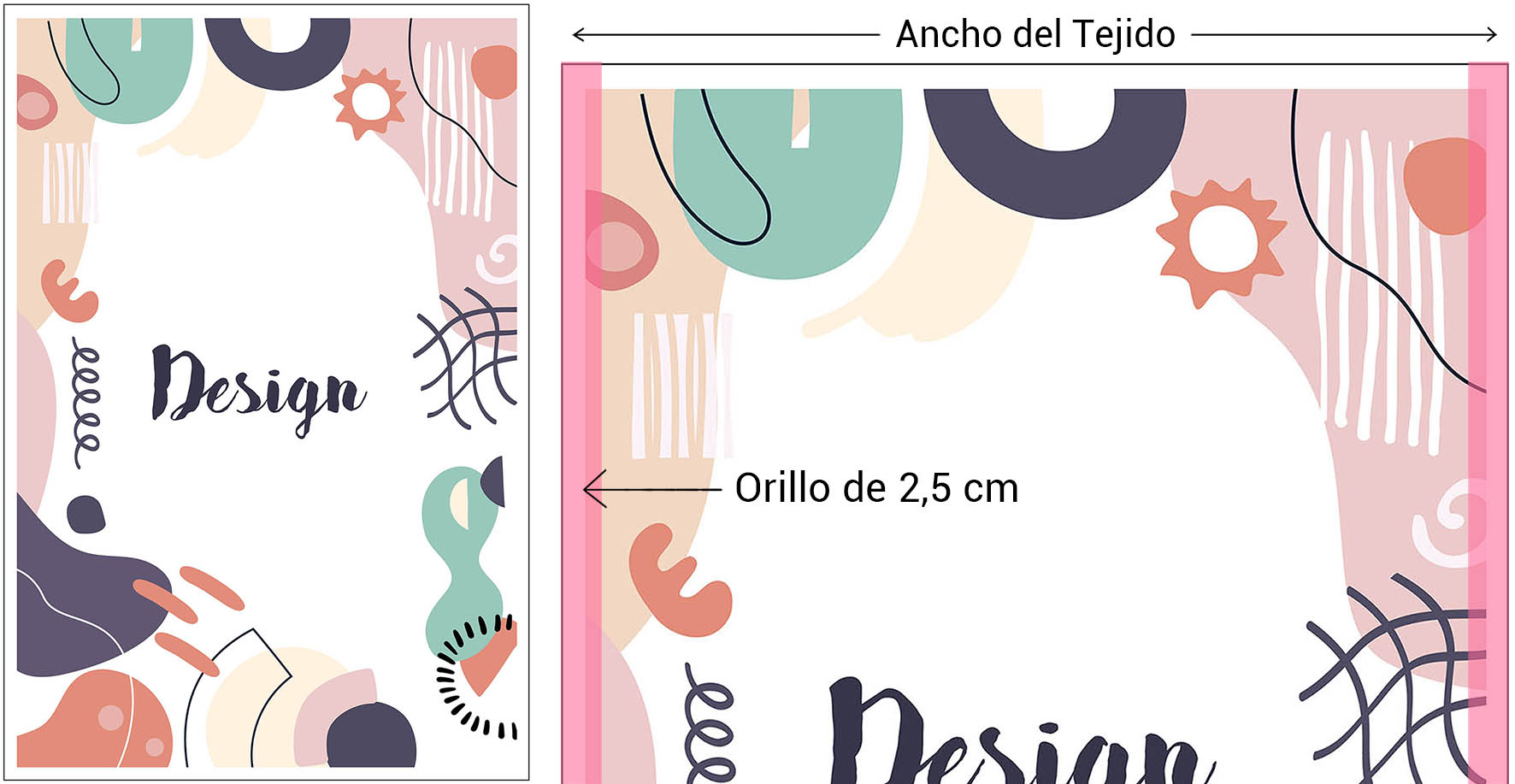
This design is intended for specific measurements as a unit and does not require any repetition to be complete. They are usually files prepared to the width of the fabric to make the most of the chosen fabric. However, at Waixo, we repeat the provided design as many times as it fits into the requested meters.
One of the really important things to keep in mind is the selvage on both sides of the fabric. It is usually 2.5 cm wide, so it is always advisable to prepare the file without counting on that useful space. That is, if the fabric is 1.50 m wide, prepare the file to 1.45 m instead of the full width. This way, we will save those centimeters and prevent the selvage from spoiling our design.
Rapport
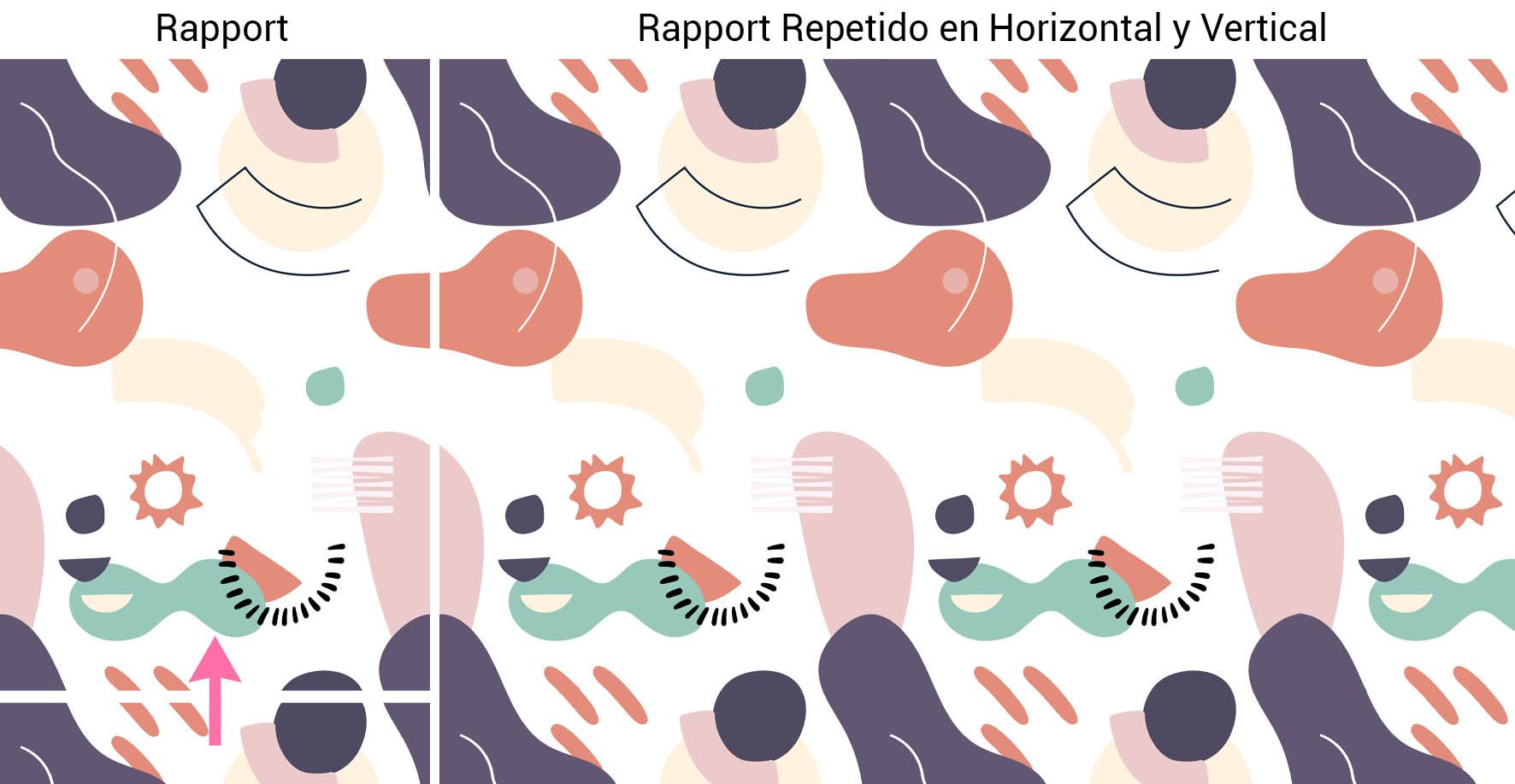
The Rapport is a design that is prepared so that when repeated, its contours fit perfectly and thus create an Infinite print.
Therefore, it is vital to dedicate time to check that it repeats correctly horizontally and vertically to avoid possible cuts or white lines that spoil the design. In “Mistakes that are often made when ordering a Rapport” you can see the problems that usually arise when creating this type of design. A simple thin border can spoil your entire pattern, so it's always best to make sure the Rapport has been precisely cropped. It is common to often see separating lines that cut the design due to a bad fit or file saving, but don't worry, everything has a solution. In “How to Eliminate White Lines that Spoil your Rapport” we tell you ways to solve it.
As with positional printing, you need to know that the Rapport measurements must already be established. If you want a specific element of the design to have a specific size, you must give it before sending it so that when it is printed, it comes out with those same measurements.
Scaling
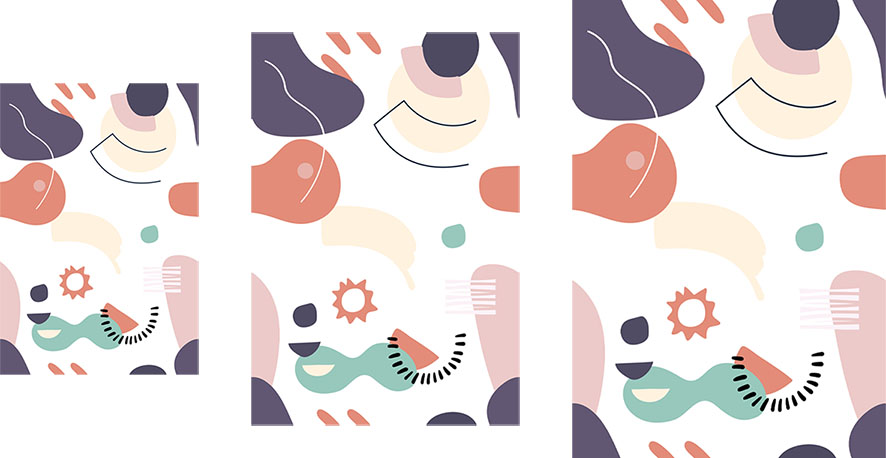
This involves modifying the measurements of our design proportionally, either increasing or decreasing them.
But when scaling to achieve the desired measurements, the resolution of the file and the size difference between the original and what is desired must be considered, as quality can be lost in the process.
If we start with a small design, we will always have more problems getting a good resolution file when increasing it. Ideally, we should start with a resolution of 150 to 300 dpi to be able to enlarge the image as much as possible without losing quality. Similarly, we will start with the same resolution to minimize the image to achieve smaller measurements than the originals.
To check for loss of quality, we will simply take an element of our design as a reference and, in real measurements, check if it is indeed pixelated or not. That is, if we want one of the elements to be 10 cm, for example, we will zoom in until it measures the indicated amount and we will be able to see if it looks correct. Printing it on a traditional printer also helps to get an idea of how the design will look.
It is likely that if it is a rapport and if the increase in measurements is very large, a thin line may appear at the ends since we are adding space to the file that it did not previously have. It is then advisable to check that the design repeats correctly. Otherwise, we recommend you take a look at “How to Eliminate White Lines that Spoil your Rapport”. If you need help with your designs, do not hesitate to write to us at info@waixo.com and explain your idea. Our Graphic Design department can prepare your design for correct printing.